Loading…


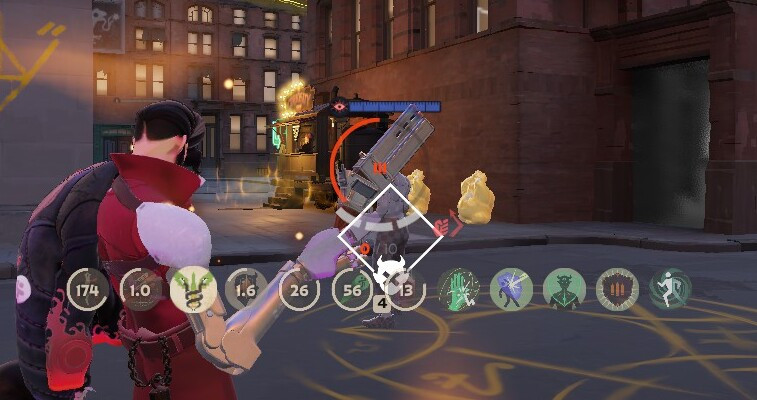
!!!!!!!!!!!!!!!!!!!!!!!!!!!!!!!!!! to fix the error with the broken interface, in the QOL Lock mod, go to the settings like this Esc - QOL Lock - HUD Interface - and in the "HUD control" turn on the optimization in 4:3, and this is basically the right mod !!!!!!!!!!!!!!!!!!!!!!!!!!!!!!!!!!
• THE MAIN MOD (pak01_dir.vpk)
Move the pak01_dir.vpk file to the addons folder with your mods (C:\Program Files (x86)\Steam\steamapps\common\Deadlock\game\citadel\addons) if you don't have it
!!!!! if you already have a vpk file with this name (01), change it to any other name !!!!!
• GAMEINFO.GI
Move the gameinfo.gi file to C:\Program Files (x86)\Steam\steamapps\common\Deadlock\game\citadel (or your game path), and save the original file in case you don't like mine.
• VIDEO.TXT
save the original file just in case
This file needs to be moved to the path C:\Program Files (x86)\Steam\steamapps\common\Deadlock\game\citadel\cfg (you may have a different path) this is a 4:3 setting, change the game settings to your resolution to fix it if you are not satisfied with 4:3
• AUTOEXEC.CFG
This file needs to be moved to the path C:\Program Files (x86)\Steam\steamapps\common\Deadlock\game\citadel\cfg (you may have a different path)
• !!! For better performance and Autoexec.cfg operation, you need to enter these values in the launch options (Steam) !!! +cl_forcepreload 1 -w 1280 -h 960 -noassert -high -preload -fullscreen +@panorama_min_comp_layer_cache_cost_TURNED_OFF 256 +exec autoexec.cfg
you can change my resolution values (-w 1280 -h 960) to your own, or play with mine, with 4:3 more FPS
This is my configuration, and there may be interruptions due to different PCs, so please ask questions in the comments, and I will answer and help you
• BLACK SKYBOX
In the latest update, the developers removed the ability to set the skybox, so you can use the mod that I left in the files
Move the pak40_dir.vpk file to the addons folder with your mods (C:\Program Files (x86)\Steam\steamapps\common\Deadlock\game\citadel\addons) if you don't have it
!!!!! if you already have a vpk file with this name (40), change it to any other name !!!!!